
👉 Practice real hacking labs here
So, here I am, happily cruising through this CTF, when I open the next challenge: FONT LEAGUES.
At first glance I thought, “Cool, maybe some font trivia? A logo? Something artsy?”
…Nope. It was a straight-up font file. A .ttf.
And suddenly I realized: Oh no. They want me to reverse engineer a font.
Step 1: The Suspicious Font
Inside the provided ZIP was an HTML demo page and a .ttf font. When I typed random junk into the textbox, nothing really happened. But the challenge description said something like:
“This time, YOU give me the flag.”
That hint, combined with the title FONT LEAGUES, screamed ligatures.
If you’re not into typography: ligatures are when a font replaces a sequence of letters with a single glyph. It says that “You will get an O if it is correct. Put it in the TFCCTF{…} format before submitting”

So if I type the correct flag string, it causes the font to replace it with some secret glyph?
Step 2: Opening the Font
I dumped it with FontTools.
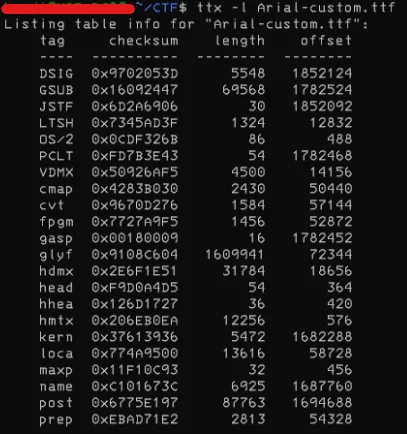
Sure enough, the GSUB table (that’s the Glyph Substitution table in OpenType) was packed with ligature rules.
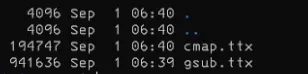
I want to see GSUB (glyph substitutions) and cmap (Unicode → glyph mapping) at minimum. So I dumped just those:
ttx -t GSUB -o gsub.ttx font-leagues.ttf
ttx -t cmap -o cmap.ttx font-leagues.ttf
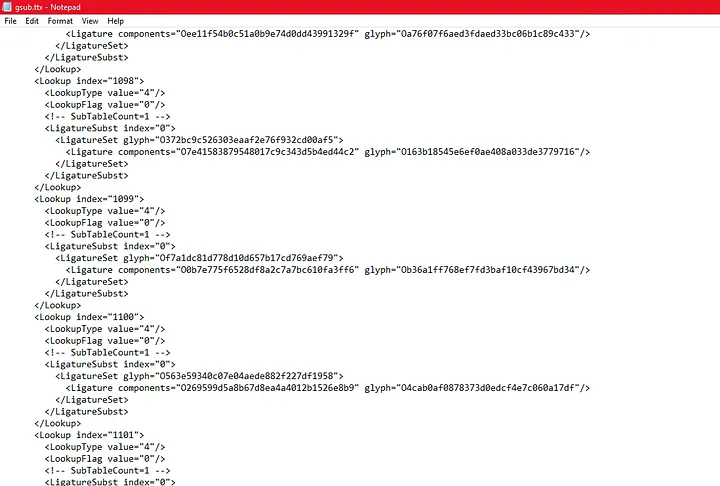
I opened `gsub.ttx` (XML). I find lots of blocks.
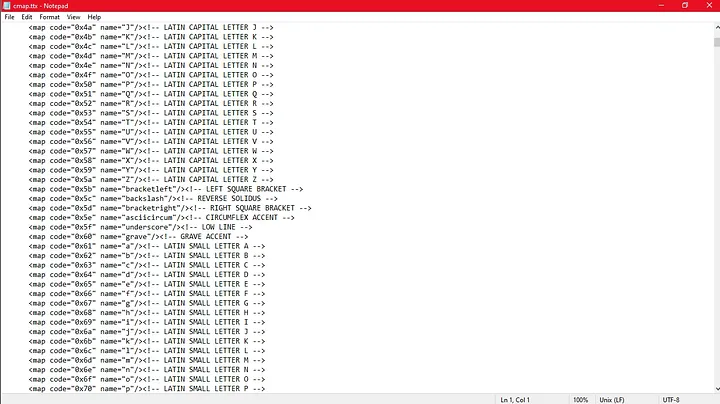
And also, I opened `cmap.ttx`(XML). It has lots of blocks too.
There are a lot of ligatures, which probably map specific letter sequences to the ‘O’ glyph. I went through the lookups to find the substitutions that generate this glyph. For now, I know the ‘O’ glyph is named ‘O’ in Arial, so I focused on those sequences and collect them.
Step 3: The Hunt for the “O”
Here’s where it gets fun. I realized that typing the right string would eventually collapse into a final glyph. And in the demo page, if you got it right, it would draw a big letter O.
So my job was:
- Trace all these ligature substitutions,
- Find the one that eventually turns into the glyph shaped like an O,
- Backtrack what character sequence leads there.
"""
First we load up FontTools and open the Arial-custom.ttf file.
"""
from fontTools.ttLib import TTFont
font = TTFont("Arial-custom.ttf")
candidates = [] # And we initialize this list to store the flag candidates.
"""
This part grabs the cmap table: basically a dictionary
that says “glyph1234 = letter ‘a’”.
We’ll need this later so when we decode glyphs,
they turn into actual readable text instead of random alien runes.
"""
cmap = font.getBestCmap()
glyph_to_char = {g: chr(cp) for cp, g in cmap.items()}
"""
Here’s the juicy part: we dive into the GSUB table.
We’re collecting all the ligature rules — these are like secret recipes.
"""
ligs = []
for lookup in font["GSUB"].table.LookupList.Lookup:
    for sub in lookup.SubTable:
        if sub.LookupType == 4:  # Ligature
            for first, entries in sub.ligatures.items():
                for lig in entries:
                    seq = [first] + lig.Component
                    ligs.append((seq, lig.LigGlyph))
"""
Example: "a" + "b" → glyphXYZ.
If you type the right sequence, the font replaces it with a new glyph.
Basically: font alchemy!
"""
def expand(glyph):
    """
    This function traces backwards.
    => If a glyph is the result of other glyphs, it expands recursively until
    we reach real characters (a–f, 0–9).
    => If it's already a "base" glyph, we convert it directly to a character.
    """
    for seq, out in ligs:
        if out == glyph:
            return "".join(expand(g) for g in seq)
    return glyph_to_char.get(glyph, "")
# reverse-engineering the font’s ligature "Jenga tower" :D
"""
And finally, the grand reveal:
=> inputs = all glyphs used as “ingredients.”
=> outputs = all glyphs that appear as results.
=> outputs - inputs = glyphs that nobody else uses → aka 'final forms'
"""
inputs = {g for seq, _ in ligs for g in seq}
outputs = {out for _, out in ligs}
for f in outputs - inputs:
    s = expand(f) # We expand those finals, then filter:
    # 1. Is it long (≥32 chars)?
    # 2. Is it all hex (0–9, a–f)?
    if len(s) >= 32 and all(c in "0123456789abcdef" for c in s.lower()):
        # If yes → add the flag candidate to candidates list
        candidates.append(s)
print(candidates)
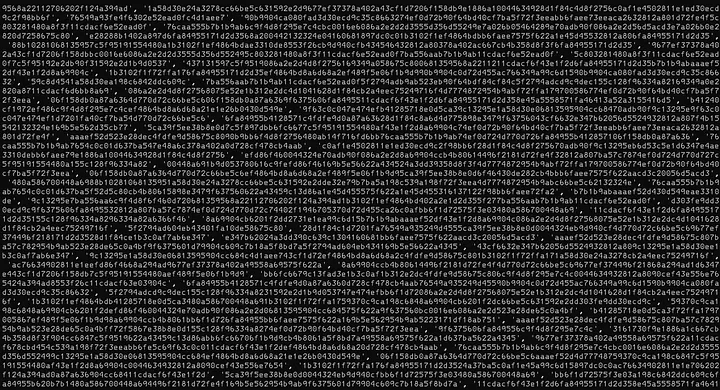
There are so many candidates! But, you might ask:
Why ≥ 32 chars? — Because most flags or hashes in CTFs aren’t just 3 characters long. 32 chars = MD5-ish, 64 chars = SHA-256-ish.
Why `all(c in “0123456789abcdef” for c in s.lower())`? — to check if the expansion looks like hex.
- Why hex? Because among all expansions, one will stand out as a clean, structured string.
- Random junk might contain punctuation or letters outside a–f.
- The challenge title “FONT LEAGUES” hinted at ligatures, but the payload hidden in those ligatures looked like a hash.

I copied the list and then created a Vanilla JavaScript to automate the testing of each candidate on the demo page’s text area.
const candidates = ['1b312e2d0c639c138a6d4d770d728cf4289e4aab169349a0ef4864bd8a6d68a2',
'f84cf84c6c9f4d8f2d355f27402a897d', ...];
const textarea = document.querySelector("textarea");
let i = 0;
let paused = false;
let timer = null;
function testNext() {
  if (paused || i >= candidates.length) return;
  textarea.value = "TFCCTF{" + candidates[i] + "}";
  textarea.dispatchEvent(new Event("input", { bubbles: true }));
  console.log("Testing:", candidates[i]);
  i++;
  timer = setTimeout(testNext, 100);
}
// Pause/resume on any key press
document.addEventListener("keydown", () => {
  paused = !paused;
  if (paused) {
    console.log("Paused at candidate", i);
    clearTimeout(timer);
  } else {
    console.log("Resuming at candidate", i);
    testNext();
  }
});
testNext();

I paused the script as soon as I saw the “O” on the text area.
Step 4: Wrapping It Up
So I copied these candidates, reloaded the page, and tested them one by one.

So the flag was:
TFCCTF{1f89a957a0816e3bea3fa026cd9a47cf181fb2c0e0c9e9442a2c783b01c083d2}
When I pasted that into the demo page, the font cheerfully spat out a big fat O. Victory!
Why This Challenge Was Awesome?
Most CTF challenges make you dig through binaries, scripts, or network captures. This one made me squint at a font file. Totally unexpected, and it was a great reminder that any digital format can hide logic — even the thing you normally use to pick whether your text is in Comic Sans or Times New Roman.
Also, it was a fun “aha!” moment to realize that ligatures (a typography feature meant to make text pretty) were being abused to hide a flag.
TL;DR
- Got a font.
- Found ligatures chaining characters together.
- Only one chain collapsed into the “O” glyph.
- Reconstructed the input → got the flag.
✍️ That’s the story of how I learned that fonts aren’t just about making PowerPoint slides look fancy — they can also be cryptic validators in a CTF. Next time you download a .ttf, maybe check if it’s hiding a flag. 😅
Ready to practice?
Try HackTheBox